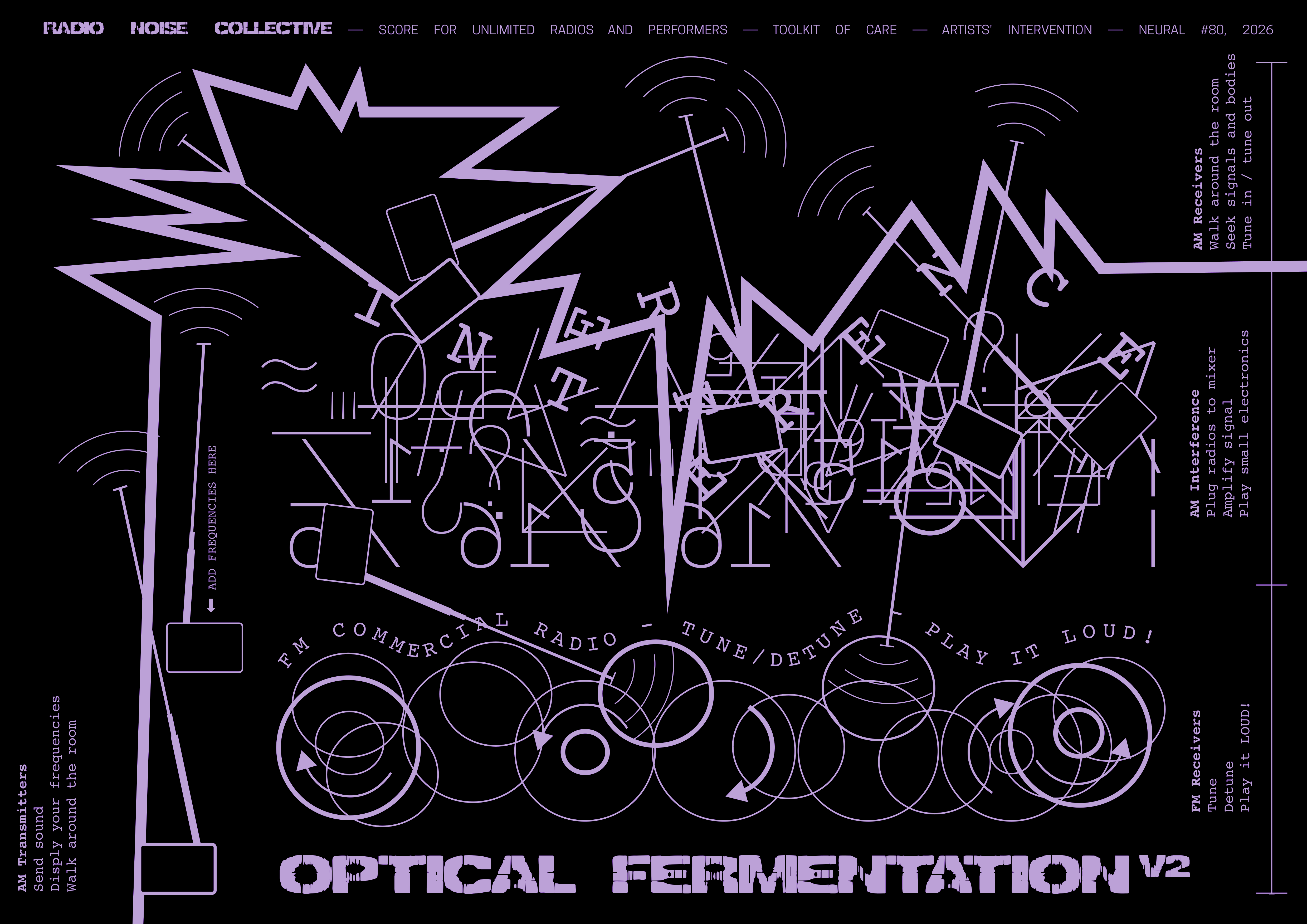
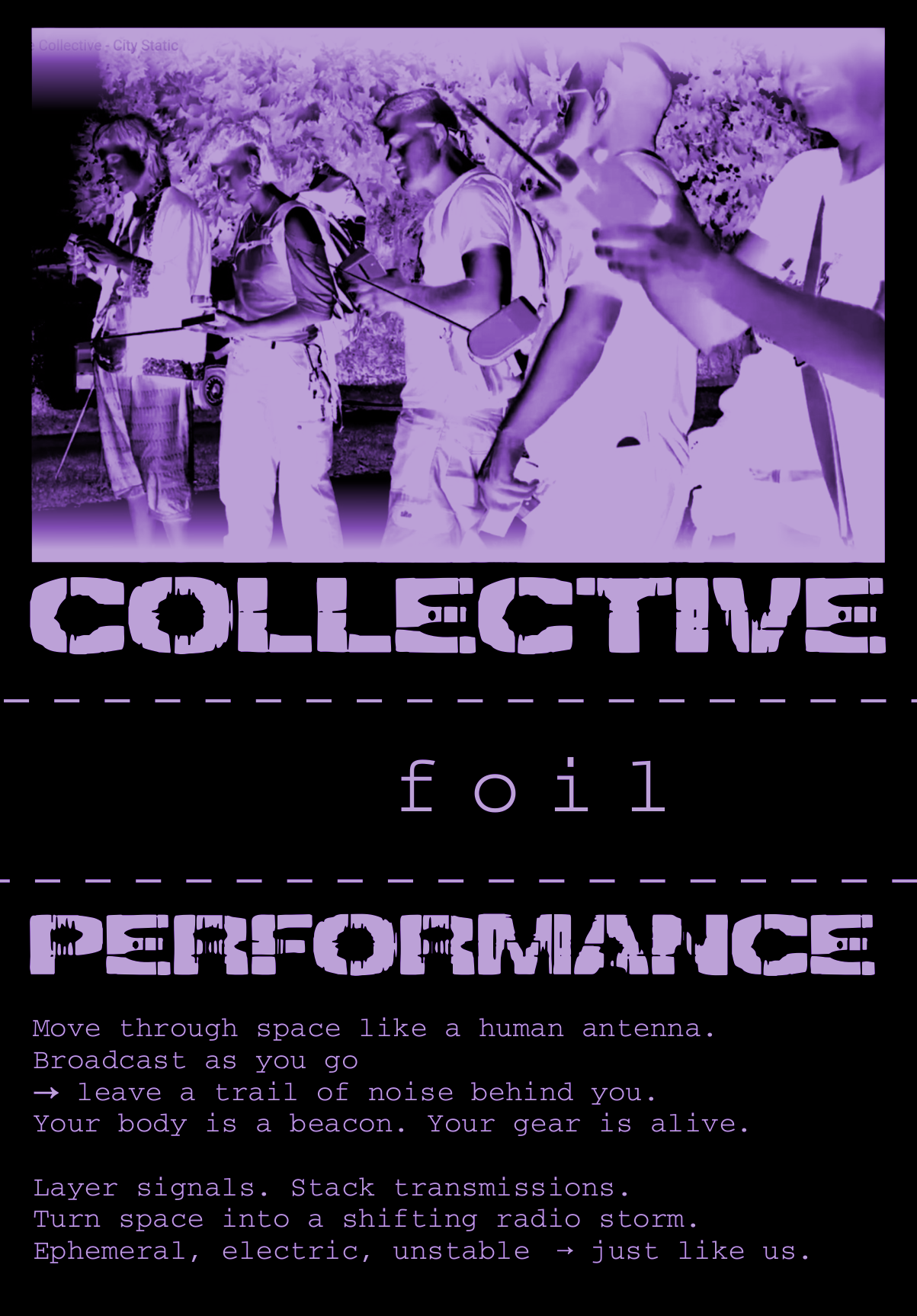
This page extends the Radio Noise Collective 2nd Transmission zine artist’ intervention for Neural Magazine #80 2026. Accessed through the QR code printed in the zine, it gathers practical resources for experimenting with radio as an artistic medium, instrument and collective form of transmission.
The materials include the Arduino AM transmitter schematic and code, instructions for building and transmitting with improvised antennas, Icestream software for autonomous online broadcasting, and an FM/AM circuit-bending hack for transforming portable radios into playable electronic instruments.
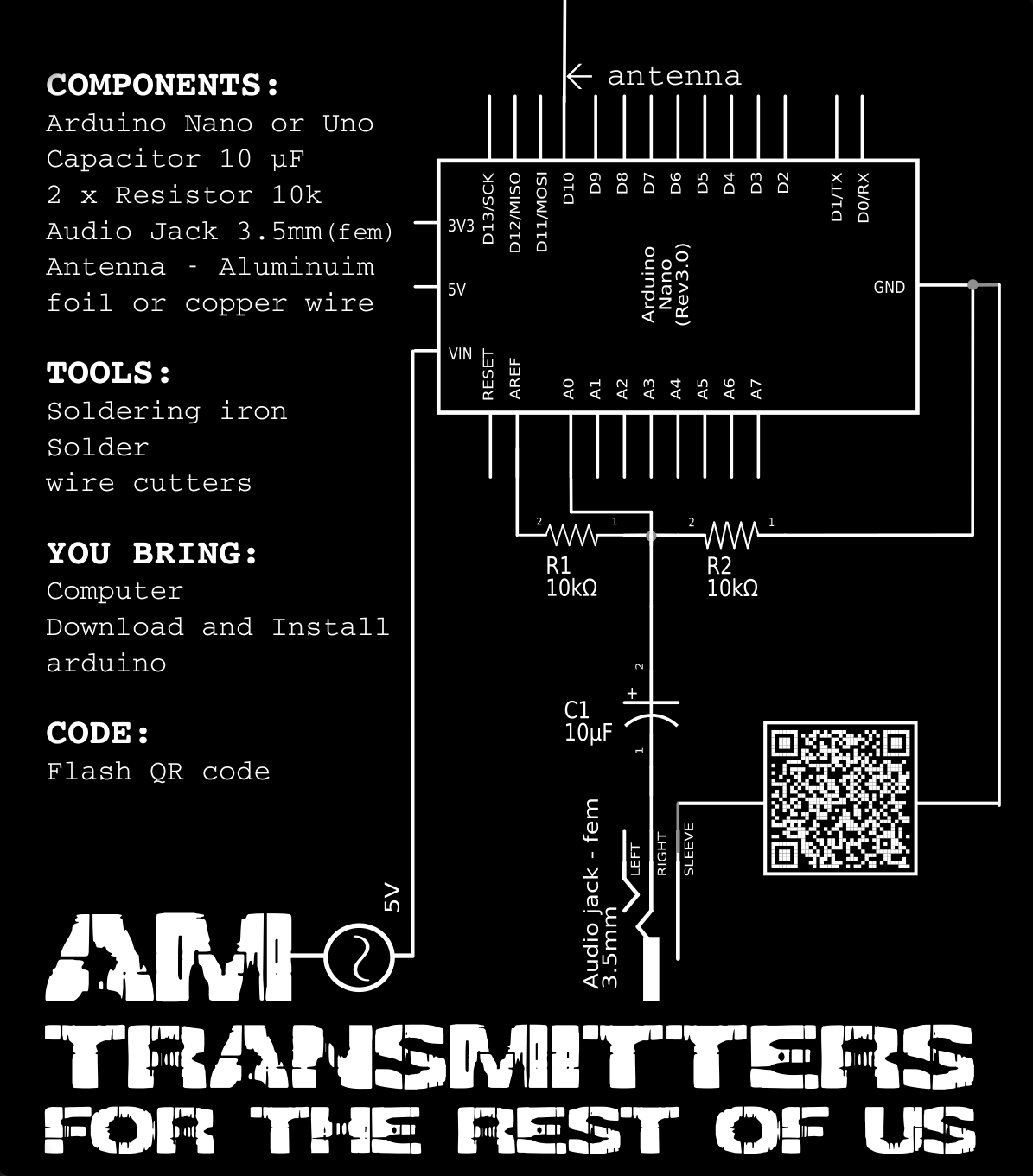
AM transmitter circuit for Arduino Uno R3 and Arduino Nano Classic.
The audio signal is connected to A0 and the two antenna outputs are generated on D3 and D11.
This device for AM radio transmission using an improvised antenna was developed for Radio Noise Collective performances by Jenny Pickett and Julien Ottavi.
The schematic is adapted from Doctor Volt’s AM Transmitter With Arduino, published on Instructables:
This work is licensed under the Creative Commons
Attribution-ShareAlike 4.0 International License.
View the licence .
This Arduino sketch generates the AM carrier signal and modulates it using an audio input connected to A0. It is designed for the Arduino Uno R3 and Arduino Nano Classic using the ATmega328P/ATmega328 at16 mHz.
The transmission frequency is selected near the top of the sketch by changing the FRQ value. The carrier is generated on digital pins D3 and D11, which connect to the transmitter antenna.
/*This work is licensed under the Creative Commons Attribution-ShareAlike 4.0 International License. To view a copy of this license, visit http://creativecommons.org/licenses/by-sa/4.0/.*/

// OCR2 values for available Transmit frequencies: OCR2A/B = 8000/Ft[Khz] - 1
#define F_8MHZ 0
#define F_4MHZ 1
#define F_2666 2
#define F_2000 3
#define F_1600 4
#define F_1333 5
#define F_1143 6
#define F_1000 7
#define F_880 8
#define F_800 9
#define F_727 10
#define F_666 11
#define F_615 12
#define F_571 13
#define F_533 14
#define F_500 15

#define FRQ F_1600 //Replace OCR2 value for frequency here, if necessary

#define ANTENNA_1 PD3 //Arduino Nano/Uno Pin D3
#define ANTENNA_2 PB3 //Arduino Nano/Uno Pin D11


void setup() {
        //Timer 2: Carrier Frequency generation
        TCCR2A = bit(COM2A0) + bit(COM2B0); // Toggle OC0A (Pin 11) and OC0B (Pin 3) on Compare Match
        bitSet(TCCR2A, WGM21); // CTC Mode
        TCCR2B = bit(CS20); // No clock Prescaling
        OCR2A = FRQ;
        OCR2B = FRQ;
        bitSet(TCCR2B, FOC2B);  // Force Output Compare B; Toggle inverted

        //Timer 1: PWM
        pinMode(9, OUTPUT);
        TCCR1A =  bit(WGM11) + bit(WGM10); //Fast PWM, 10 Bit
        TCCR1B = bit(WGM12) + bit(CS10); // No Prescaling
  TIMSK1 = bit(OCIE1A) + bit(TOIE1);// Output Compare A Match and overflow Interrupt Enable
        //TCCR1A += bit(COM1A0) + bit(COM1A1); //Toggle Pin 9 on compare match

        //ADC Settings
        ADMUX = bit(REFS1) + bit(REFS0); //Reference internal 1.1V
        ADCSRA = bit(ADEN) + bit(ADSC) + bit(ADATE); //Auto Trigger enable, free running
        ADCSRA += bit(ADPS2) + bit(ADPS1); //Divide by 64 -> 18.5k Sample rate
        DIDR0 = bit(ADC0D);
}

/* Overflow Interrupt*/
ISR(TIMER1_OVF_vect) {
        uint16_t adc = ADC;
        OCR1A = adc;
        bitSet(DDRD, ANTENNA_1); // timer 2 outputs on
        bitSet(DDRB, ANTENNA_2);
}

/* Output Compare A Match Interrupt */
ISR(TIMER1_COMPA_vect) {
        bitClear(DDRD, ANTENNA_1); // timer 2 outputs off
        bitClear(DDRB, ANTENNA_2);
}

void loop()
{
}
AM Transmitter Instructions
The transmitter uses two Arduino outputs, D3 and D11, to generate the radio-frequency carrier.
The antenna is connected between these two outputs.
Connections
D3 → antenna connection 1
D11 → antenna connection 2
Audio input → A0
Audio circuit ground → Arduino GND
Antenna
Connect a length of wire to D3 and a second length of wire to D11.
These two wires form the transmitter antenna.
Start with relatively short wires when testing the transmitter.
The transmission range depends on the antenna length, selected carrier frequency, surroundings and radio receiver.
Selecting the transmission frequency
The carrier frequency is selected in the Arduino sketch by changing:
#define FRQ F_1600
For example, F_1600 selects approximately 1600 kHz.
Other available frequencies are defined at the beginning of the sketch.
Testing
Upload the sketch to the Arduino Uno or Nano.
Connect the audio input to A0.
Connect the two antenna wires to D3 and D11.
Place an AM radio close to the transmitter.
Tune the radio to the frequency selected in the sketch.
Play an audio signal into A0 and fine-tune the receiver until you hear it.
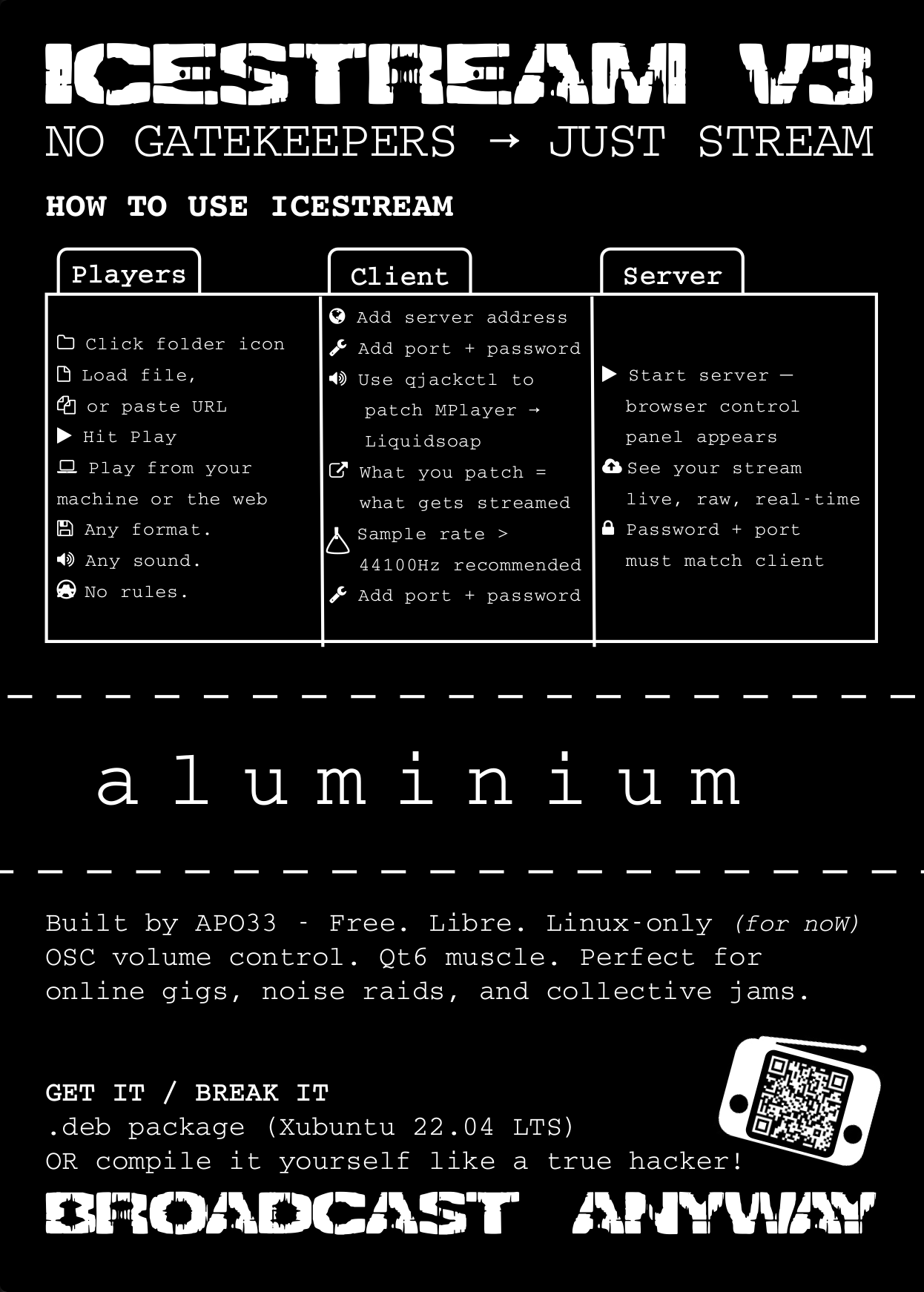
Icestream is free software for live audio streaming. It brings together an audio player and mixer based on MPlayer, an Icecast server, and an Ice client for sending audio to Icecast within a single graphical interface. It supports live streaming in OGG and MP3 formats, with integrated mixing and VU metering.
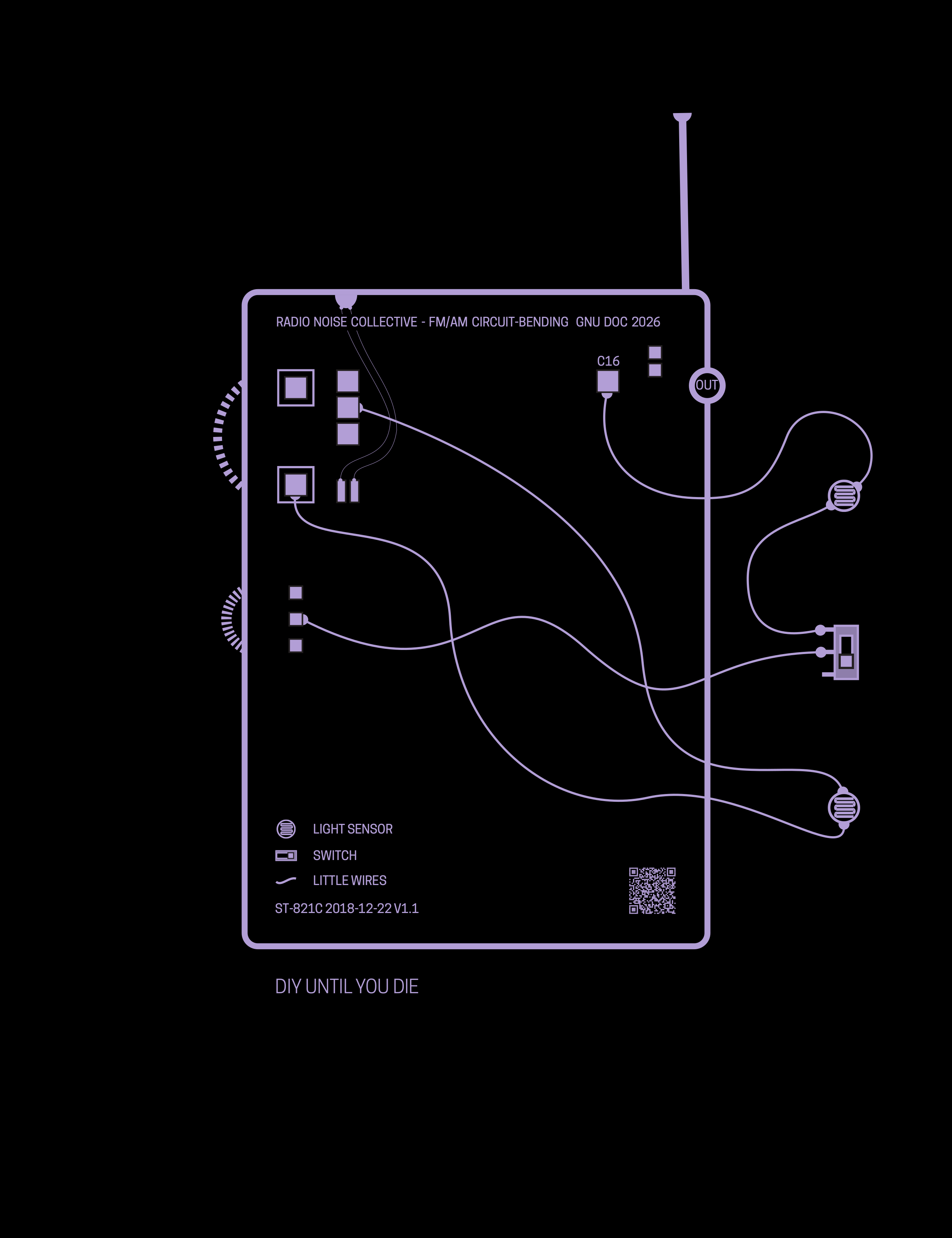
This FM/AM circuit-bending hack was developed for Solar Return and Radio Noise Collective performances by Jenny Pickett and Julien Ottavi.
It transforms a small portable radio into an experimental sound instrument by adding light sensors, a switch and simple wire connections directly to points on the radio circuit.
The modifications open up the radio’s tuning and internal oscillations to external control. By exposing the light sensors to changing light sources, shadows or movement, the performer can tune and detune the radio,
destabilise reception and generate shifting tones, noise and electronic oscillations.
The schematic is intended as an open DIY resource that can be reproduced, modified and adapted to similar radios.
The schematic is intended as an open DIY resource that can be reproduced, modified and adapted to similar radios.
These resources come from tools and techniques developed through Radio Noise Collective workshops, performances and collaborative experiments. They are shared as open DIY resources to be copied, modified, rebuilt and adapted for other contexts.
This resource was developed through COST Action CA21102 – Toolkit of Care, as part of the Virtual Mobility project Radio Noise Collective Fanzine: Editorial Design and Toolkit Development for Experimental Radio Practices.
The materials contribute to the Toolkit of Care as open resources for experimental radio, collective broadcasting, DIY electronicscollaborative artistic practice. and collaborative artistic practice.
This publication is based upon work from COST Action CA21102, Toolkit of Care, supported by COST (European Cooperation in Science and Technology).
COST (European Cooperation in Science and Technology) is a funding agency for research and innovation networks. Our Actions help connect research initiatives across Europe and enable scientists to grow their ideas by sharing them with their peers. This boosts their research, career and innovation.